

Auto scan mails
Less work, let it run automatically.
Subscription & recurring payment tracker for Android
Track subscriptions, recurring payments, renewals, and installments from Gmail, supported statements, or manual entry.
A clearer view of your recurring payments.
Less surprises. More control.
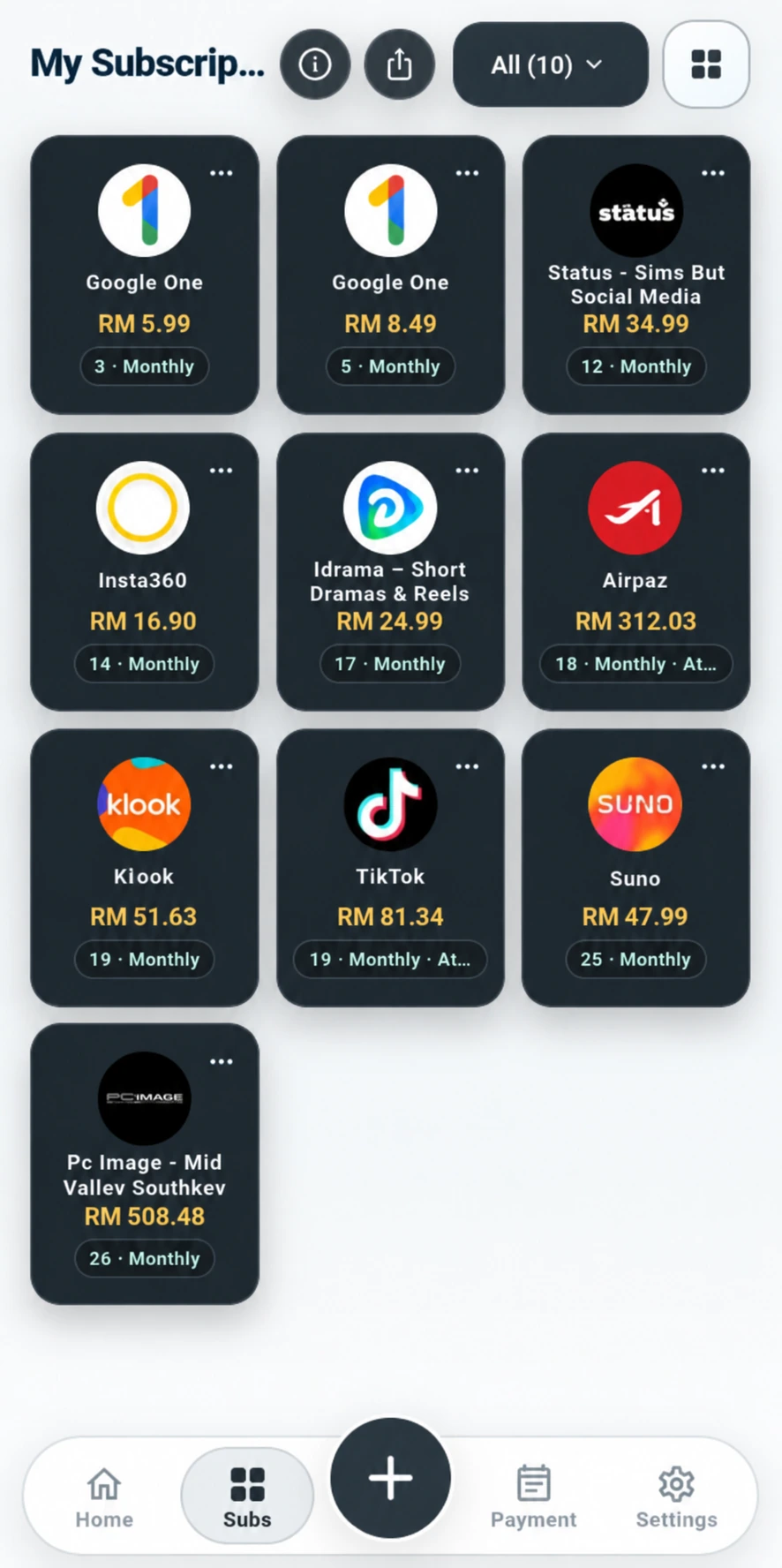
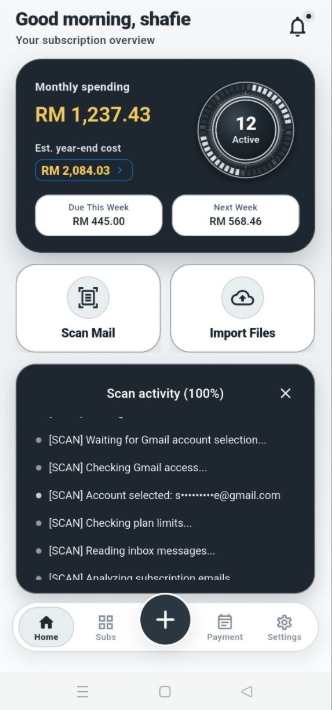
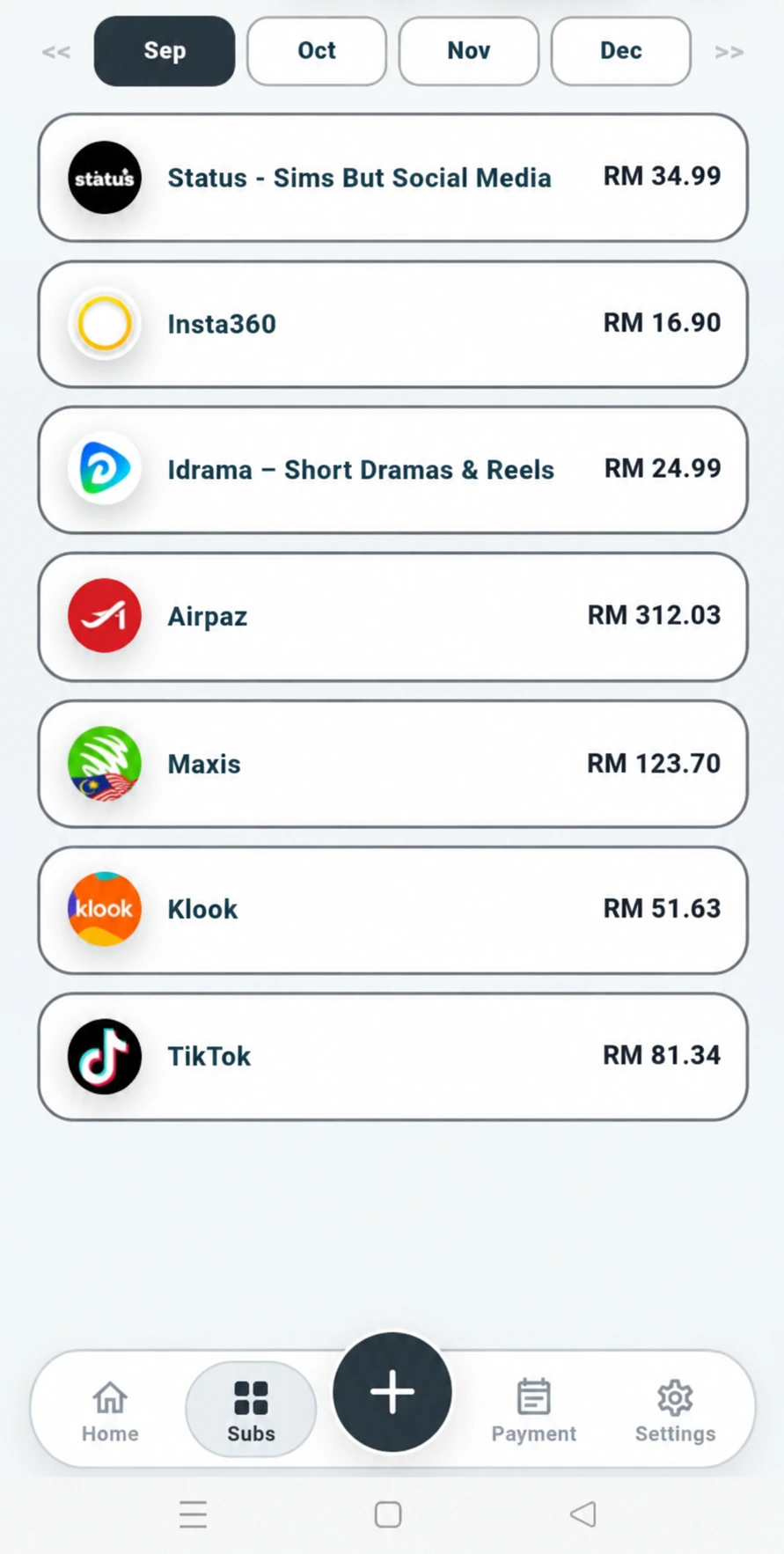
Everything you need to stay on top of your subscriptions.
Less work, let it run automatically.
Payments scattered across email? We have the solution.
Supports recurring detection from PDF & CSV statements.
Add your subscriptions with your own preferred commitment details.
View your peak commitments.
View and plan what is coming - monthly or across the current year.
View your payments from your preferred perspective.
Automatically or manually group your payments into their own categories.
Share your spending with your friends or family whenever you want.
Plan and understand your own spending.
Manage your subscriptions wherever you want.
Choose subscription images and make Pro your own with custom color themes.
Three ways in
Choose the source that fits you. Review detected subscriptions and recurring payments, keep what matters, and manage renewals or installments from one place.
Find subscriptions and recurring payments in Gmail, then review what you want to keep.
Auto Scan Mail on Pro can keep watch on your schedule with less manual scanning.
Select supported PDF or CSV statements and review payment candidates before saving.
Add a commitment yourself with amount, currency, and billing date. Start with the details you already have.
Subs Compiler Pro
Pro is built around automation. Schedule Auto Scan Mail to keep watch for new recurring payment commitments, then use the full set of views, forecasting, planning, and management tools to stay ahead of what you pay.
Yes. Automated detection can sometimes classify a payment incorrectly, and forecasts are estimates rather than guarantees of future charges. You can review, edit, or remove payment details so your tracker reflects what matters to you.
Yes. Import supported PDF or CSV statements, or add commitments manually. Gmail is only one way to bring recurring payments into Subs Compiler.
Payment Outlook forecasts saved payments from today through the end of the current year. It is available on Lite and Pro.
Subs Compiler tracks subscriptions, recurring payments, renewals, recurring bills, and installment commitments, then keeps their dates and amounts organized in one Android app.
Yes. Payment Outlook helps you see recurring costs ahead, while Budget Me brings your subscription commitments alongside the spending you plan. Forecasts are estimates, not guarantees of future charges.
Pro adds scheduled Auto Scan Mail, higher Scan Mail and Import Files allowances, up to 12 Manual Add records, Payment Outlook, Budget Me, List view, Category view, Weekly Focus, Manage subscription, and custom color themes.
For supported subscriptions, Subs Compiler can open the appropriate official Google Play, provider, or merchant destination. You complete the final account change or cancellation with that service.
Subs Compiler processes supported statements to identify payment candidates. You review the results and keep the payment details that matter to your tracker.
No. Google Play billing is managed separately in Google Play, so cancel a paid subscription there if you no longer want it to renew.
Open Settings > Support > Chat Support while signed in, or email contact@subscompiler.com.
A subscription tracker helps you keep recurring payments, renewals, billing dates, and amounts organized so you can see what you pay and what is coming next.
Yes. Subs Compiler brings recurring bills, renewals, subscriptions, and installment commitments into one tracking view so you can follow upcoming payments more clearly.

Know what you pay.
See what is coming.